How to Schedule Partner or Paired Training in Shape
In order to schedule two people into 1 time slot under 1 Trainer, a Class must be scheduled into the time slot first. Then you can add the two members into the 'Class'.
A. Create the Class Type
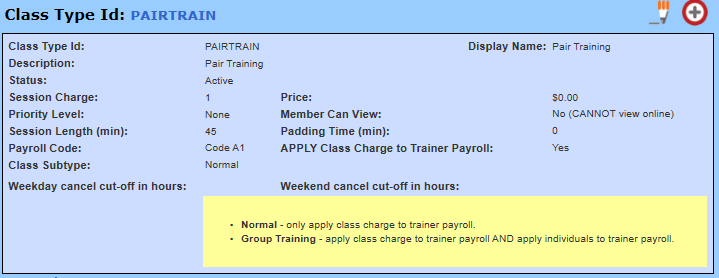
B. Create the Service Type
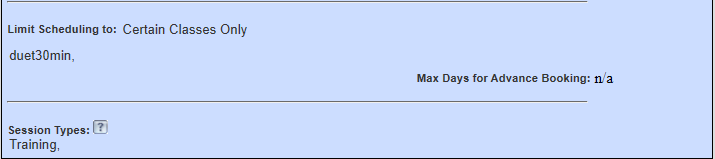
Under the 'Restrictions and Limitations' section of the form, select 'Certain Classes Only' and select the PAIRTRAIN class so that the package can only be used for Pair Training.
C. Purchase the package for your members. **The package is purchased for each member.
Quick Functions -> Purchase Services. Enter the first member's last name, first initial and Search. Click the Purchase Services link, select the appropriate package and purchase the package. Repeat for the 2nd member.
D. Schedule the PAIRTRAIN class for the 2 members into the desired date, time and Trainer.
E. Click into the class and 'Add Member' to the class. Repeat for the 2nd member.
Members can share a package for Pair Training
The package is purchased by one member. The 2nd member is entered into the purchased package as an 'Add-On'. If the member has not been entered into Shape yet, enter them from Quick Functions -> Add User. Do not purchase anything for the 2nd member.
1. Quick Functions -> Services. Enter the last name of the purchasing member and Search.
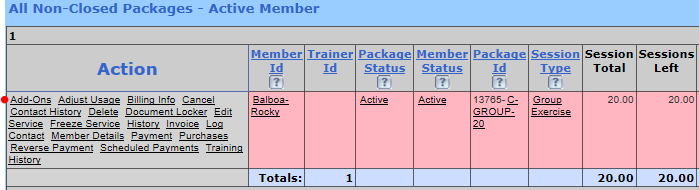
2. Click the 'Add-ons' link in the Actions column.
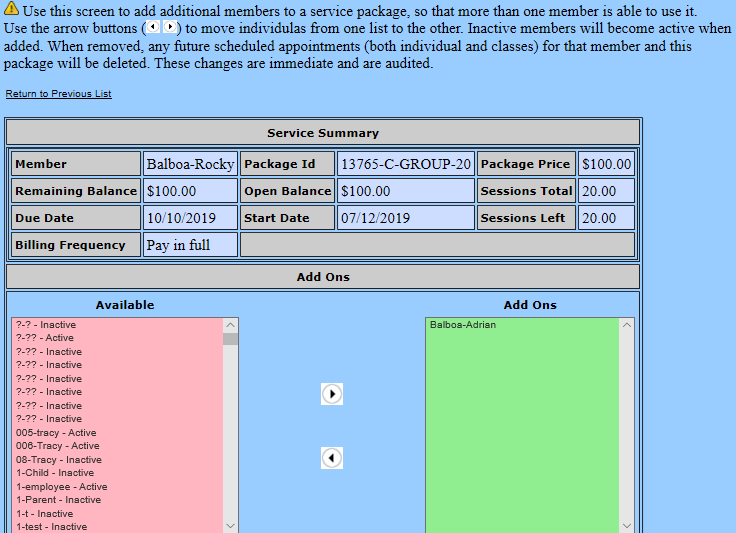
3. On the next screen, select the member sharing the package from the 'Available' member list. Enter your cursor into the Available side and start typing the last name. Highlight the member and use the arrow  to move the member into Add-ons.
4. Follow the steps above under section D for scheduling the members into the PAIRTRAIN class.
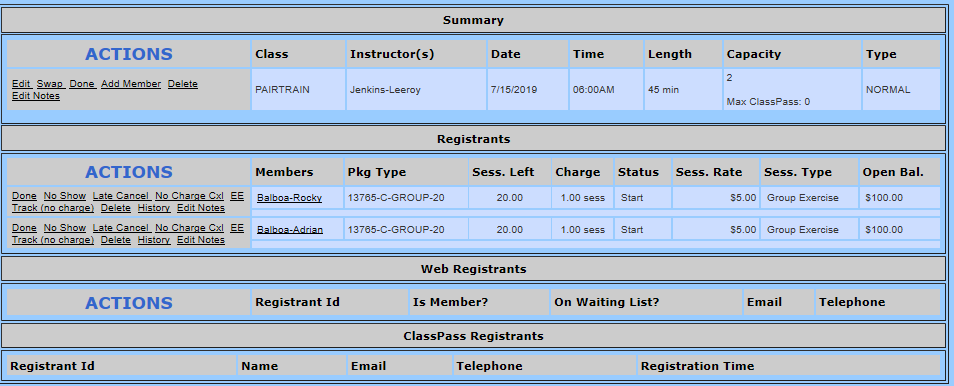
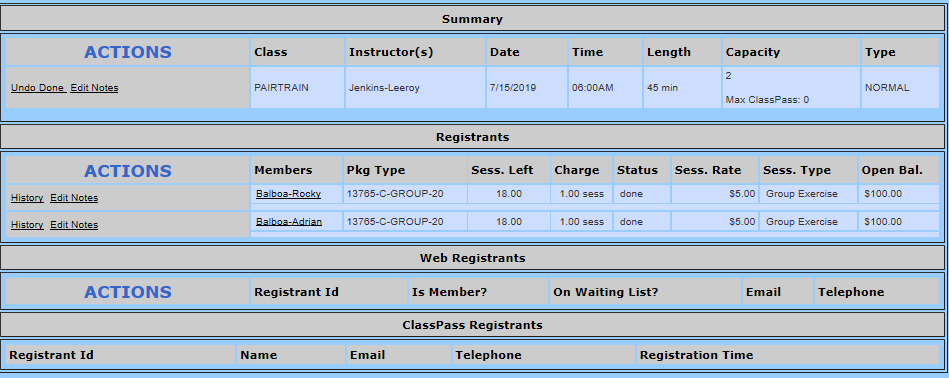
When the session is completed, two sessions will be redeemed from the package.
Comments
0 comments
Please sign in to leave a comment.