1. Quick Functions -> Schedule Matrix;
2. Select a Date, Time and Trainer;
3. Right click on the desired appointment;
4. Click 'Add Appointment';
5. Click the radial for 'Classes';
6. Select from the drop down next to Classes;
7. Be sure to set the capacity;
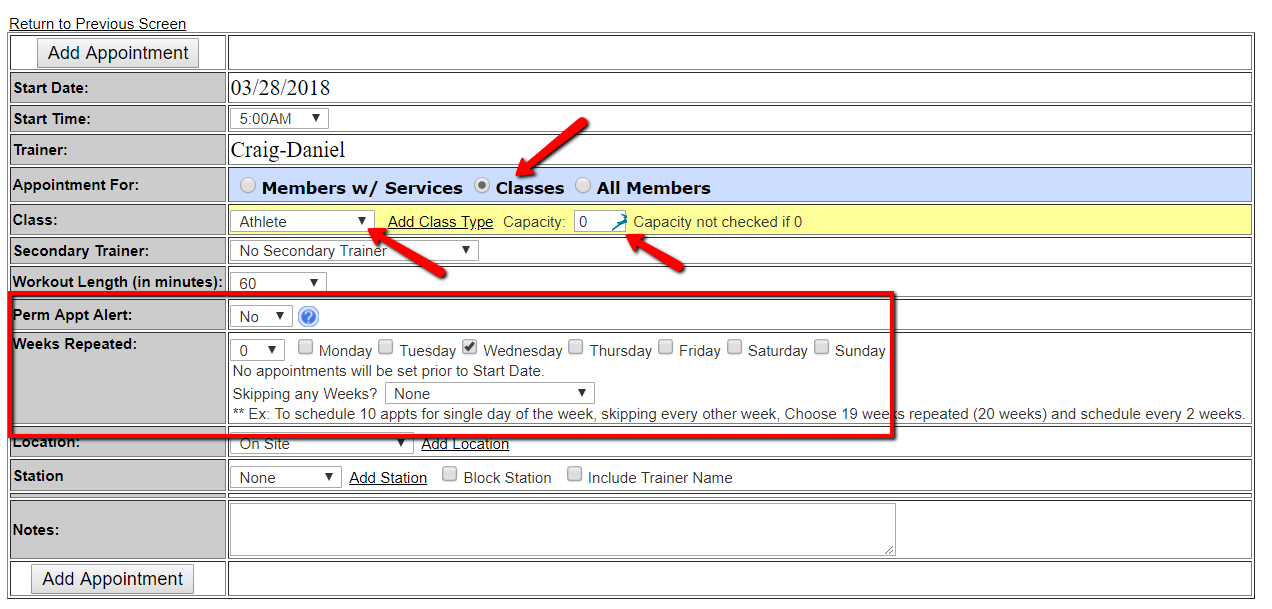
8. If this is a Permanent Class, select 'YES' next to 'Perm Appt Alert';
9. Select the number of weeks to repeat and the days of the week;
10. Click 'Add Appointment' to add the Class to the Schedule.
Comments
0 comments
Please sign in to leave a comment.