*For iPhone Users 8 and above and Verizon Wireless Cell Providers
On the iPhone 8 and above, please follow these steps in the iPhone settings:
- Go to settings/messages. iMessage and Send SMS may already be enabled.
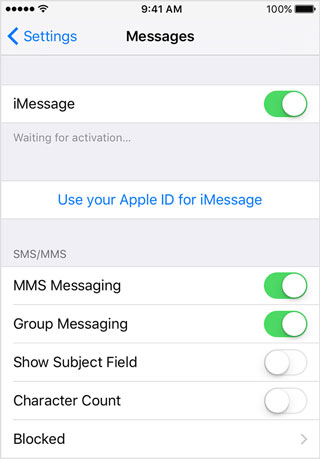
- Turn these settings off and send a text from Shape. If the text is received, go back to iMessage settings and turn them back on.
- Confirm that both iMessage and Send SMS is enabled.
- Send another text from Shape. The text message should still be received.
Comments
0 comments
Please sign in to leave a comment.