Administrator Messages Broadcast
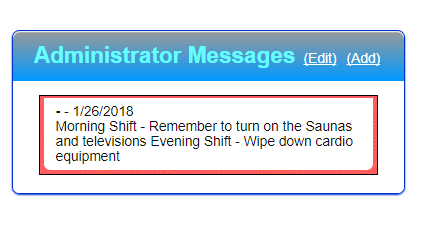
If you are an administrator and you have permission you can broadcast messages to your administrators. When they logon they will see a box called Administrator Messages.
1. To confirm your admin has the permission:
Functions/Users/Find User/user type Administrator/Enter Last Name/click security/Functions/Users/"Edit_Broadcast_Message"
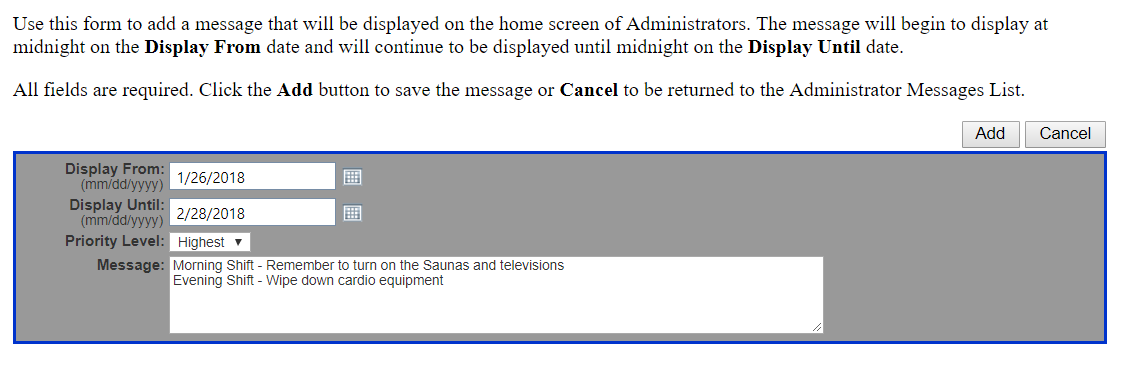
If this is checked then they have the ability to create or edit existing messages.
If unchecked they will just have the ability to view the messages created by another administrator.
To add a message, click the 'Add' link.
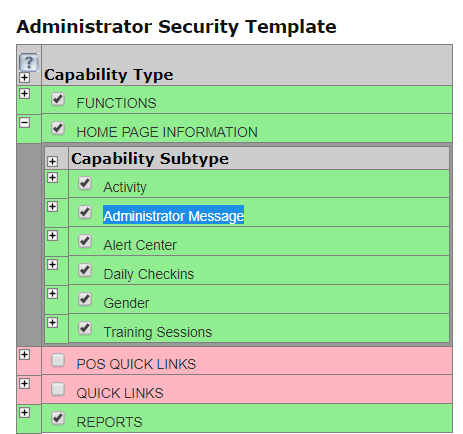
2. Make sure your Admins have the Home Page enabled:
Follow the steps above to find the Security link for your Admins.
Enable the security for HOME PAGE INFORMATION -> Administrator Message
Comments
0 comments
Please sign in to leave a comment.