What do the colors mean on the right side of the Actions column?
From Quick Functions -> View Members or Find User
YELLOW - NOT FOUND (no card ID)
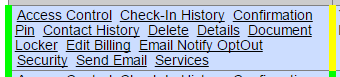
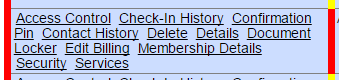
RED - LOCKED (no access through brivo)
GREEN - unlocked with access and card ID
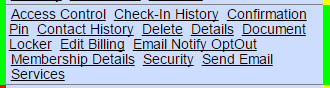
**Note - This information is pulled from your Brivo system. It is 'View Only' data from Brivo. To update Brivo Access through Shape, please review Access Control.
Comments
0 comments
Please sign in to leave a comment.