BEFORE DELETING A USER FROM SHAPE, PLEASE REMEMBER THERE MAY BE DATA SUCH AS FINANCIAL HISTORY, TRANSACTION HISTORY, SESSION HISTORY, COMMISSIONS, PAYROLL, CHECK-INS, ETC. THAT MAY BE ASSOCIATED. PLEASE DELETE WITH CARE.
The Financial Transactions Report will no longer display the Member's name associated to the transaction. It will be replaced with 'Unspecified'. You will no longer be able to reverse a payment back to the original payment type.
Deleting a Member.
a. If deleting 1 Member
Quick Functions -> View Members (You can also delete a Member from Find User);
Enter Member's last name, first initial and Search;
Click the 'Delete' link next the desired Member.
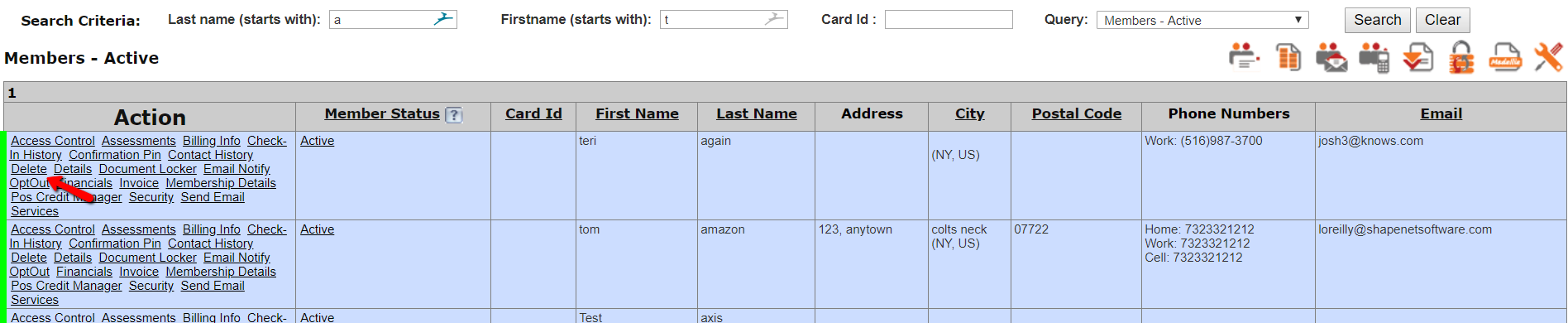
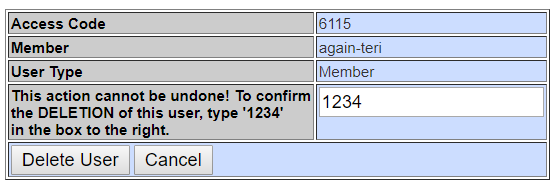
You will receive the following warning message:
If you delete this user, it will be gone forever. THIS ACTION IS NOT REVERSIBLE. Since this user will be gone forever, you must explicitly confirm this action. Any financial transactions associated with this user will remain. In order to delete these, the membership and training packages associated with this user must be deleted first. A history transaction and an audit record will be created to track this action.
Enter '1234' and Delete User.
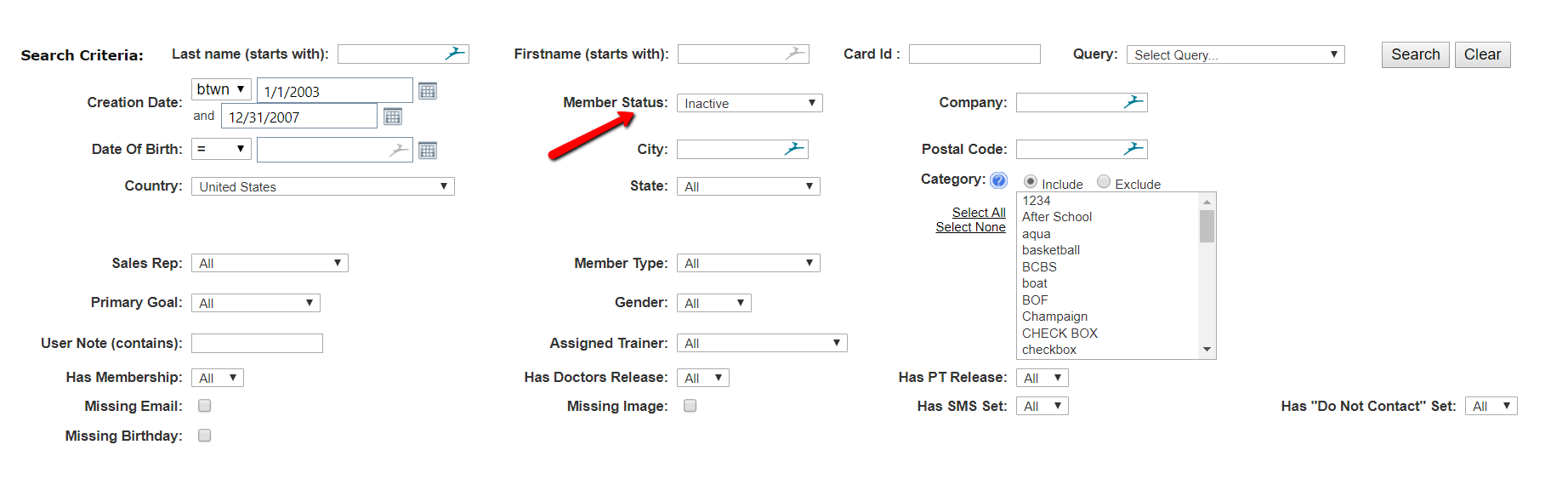
b. **If deleting Members in bulk (for Inactive ony). This function is controlled through Administrator Securities.
Quick Functions -> View Members
Select 'Custom Query' from the drop down;
Build your criteria for Inactive Members to be deleted and Search. Member Status must be Inactive to bulk delete;
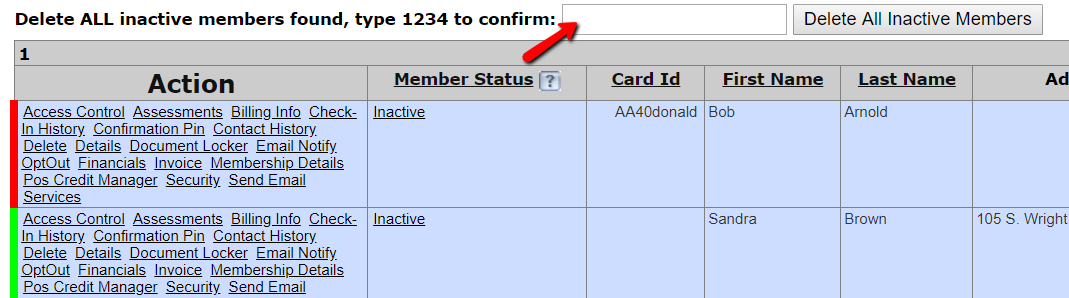
Type 1234 into the field and 'Delete All Inactive Members'
Comments
0 comments
Please sign in to leave a comment.