On the add user page, click Take Photo.
If nothing happens you'll need to check the Chrome settings.
Pictures may be taken from the Chrome Browser. and permissions given to allow access to camera.
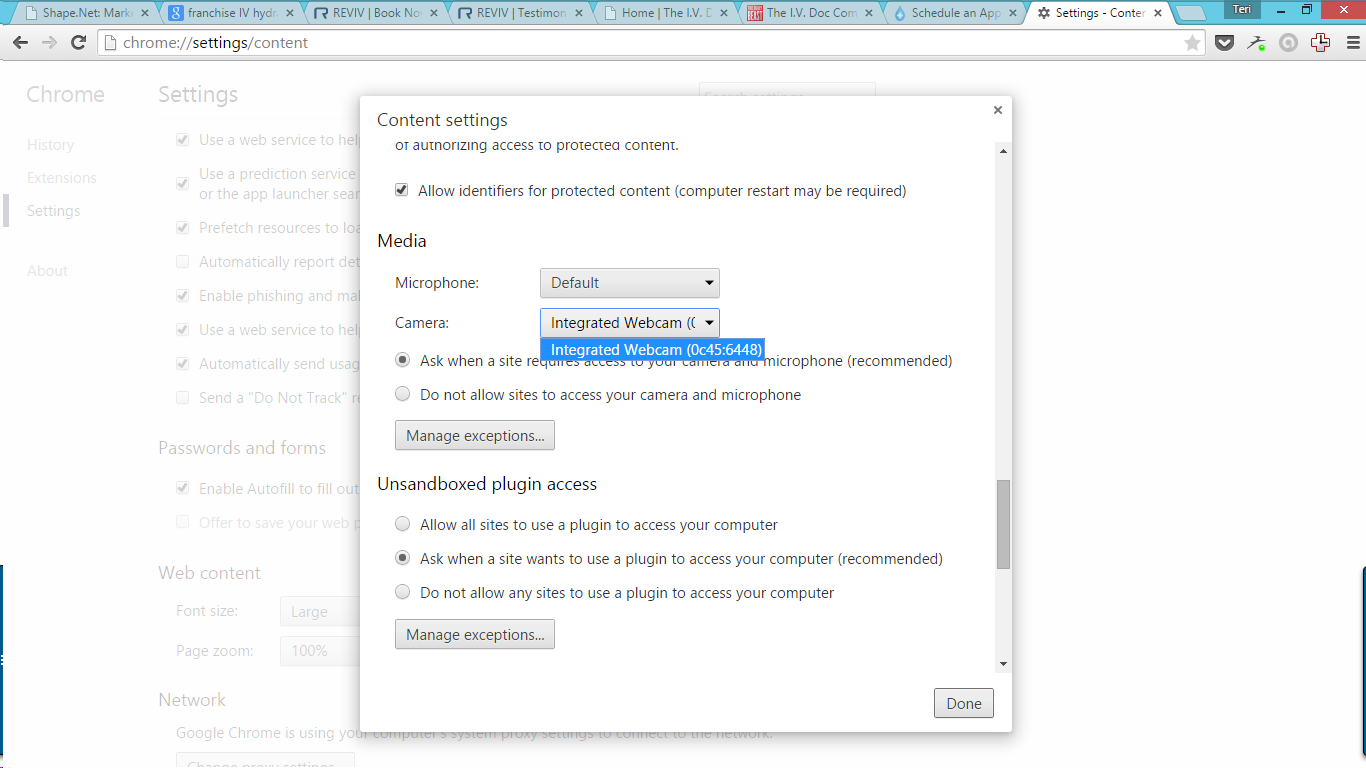
In Chrome,
1. Click the gear to open settings.
2. Scroll to advance settings
3. Find the Media Section
4. for Camera, set to correct camera option for you setup
5. Make sure that "do not allow sites to access..." is not marked.
Comments
0 comments
Please sign in to leave a comment.