Your member can make a payment using multiple payment type. When the multiple payment types is used, the entire balance must be paid. A partial open balance cannot be left behind.
- On the Point of Sale screen under the Payment Types section, click the link Add/Edit Multiple Payment Types.

2. Use the drop down to select the each payment type and the amount being paid with this type.
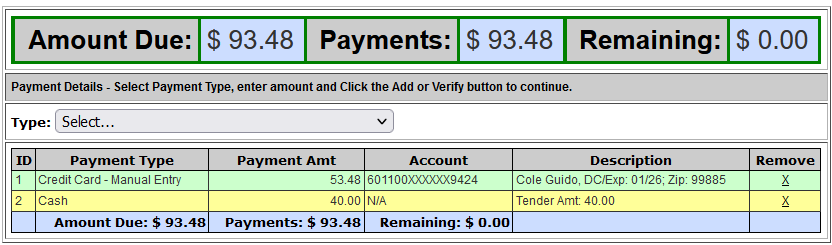
3. Click the green button to Continue to Cart.
4. Submit the payment.
**If the entire balance cannot be paid, you cannot use multiple payment types. The Remaining balance must be $0.00.
**Only one credit card can be used for multiple payment types.
Comments
0 comments
Please sign in to leave a comment.