To print Bar codes
1. From the main menu bar, click Functions -> Point of Sale -> Product List;
2. Enter a few letters of the item, click 'Search'. Or click 'Search' to bring up all products;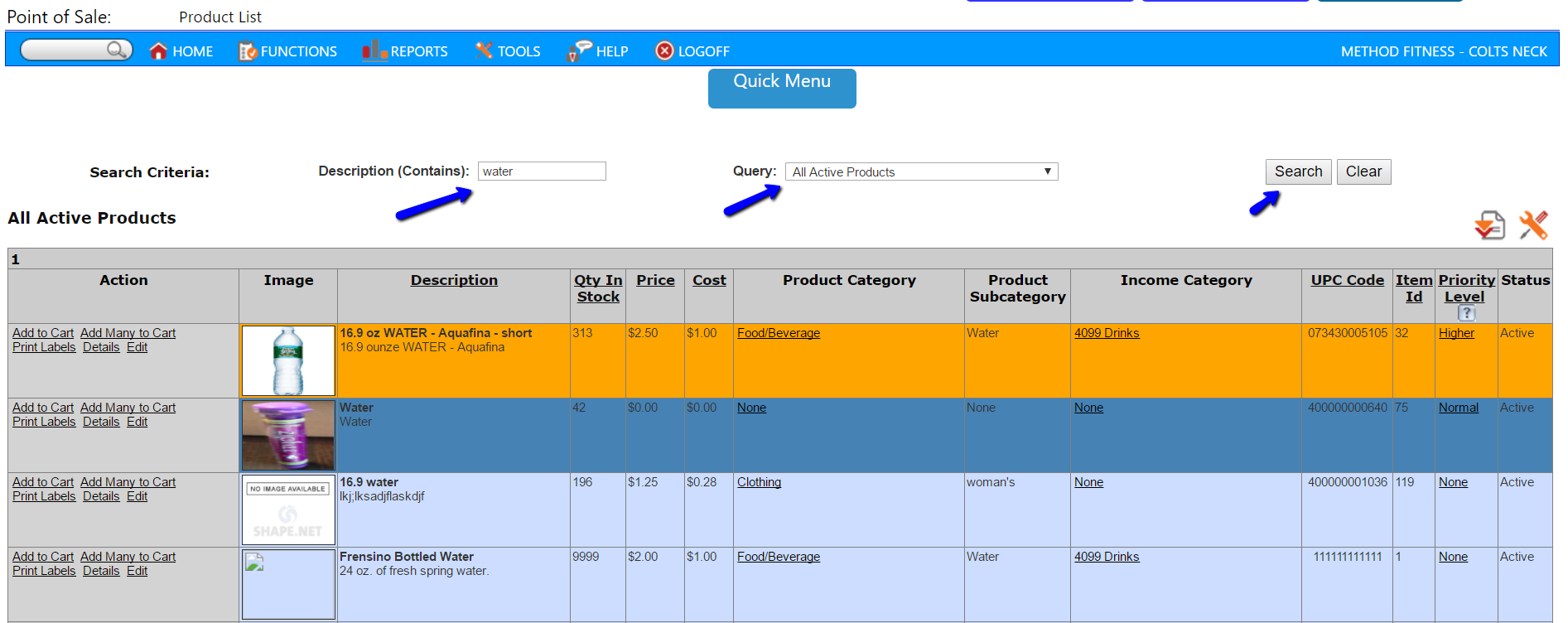
3. In the Actions column, click the 'Print Labels' link next to the desired product;
4. Choose a Compatible Label format, and the number of labels;
5. Click 'Generate';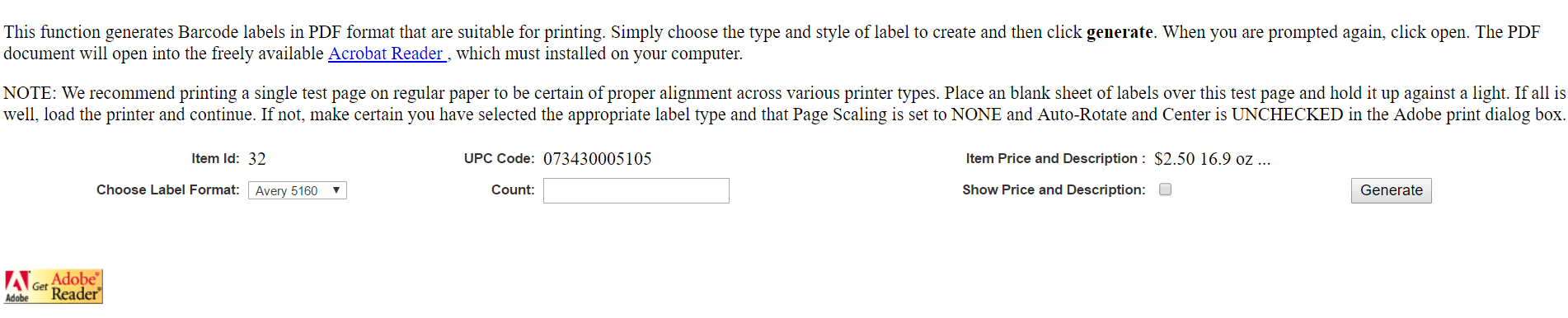
6. Choose Open to view the PDF;
7. Click the 'Print' icon, or 'File print'.
Comments
0 comments
Please sign in to leave a comment.