To freeze a Pay Every Month (or Bi-Weekly) service package, navigate to Quick Functions -> Services, enter a name and Search.
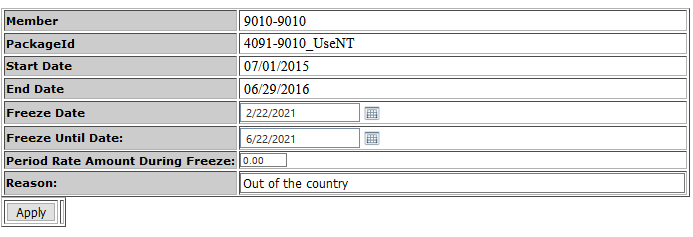
Click the 'Freeze Service' link next to the package you wish to freeze
The Freeze Date defaults to the current date. For a 'Pending Freeze', enter a date in the future
Enter a 'Freeze Until' date
Enter the Rate amount during freeze. If the amount is $0, enter 0
Enter a Reason and Apply.
Comments
0 comments
Please sign in to leave a comment.