To freeze a member's active service, navigate to Quick Functions -> Services.
Search by lastname on service.
- Under the Actions column, click [Freeze] next to the appropriate service package.
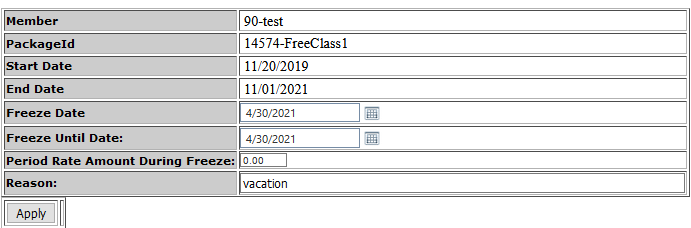
- Set the Freeze start date and freeze end date.
- Enter the amount the member will pay during the freeze period. If they are to pay nothing, enter 0.00.
- Enter a reason for the freeze and click [apply].
To unfreeze a service:
- Navigate to Quick Functions -> Services.
- Make sure the Query drop down is set to 'ALL Services'.
- Enter the Member's last name and Search.
- In the Actions column, click [Unfreeze/Modify Freeze].
- Set to unfreeze date and click [Change Unfreeze Date*].
Comments
0 comments
Please sign in to leave a comment.