BEFORE DELETING A USER FROM SHAPE, PLEASE REMEMBER THERE MAY BE DATA SUCH AS FINANCIAL HISTORY, TRANSACTION HISTORY, SESSION HISTORY, COMMISSIONS, PAYROLL, CHECK-INS, ETC. THAT MAY BE ASSOCIATED. PLEASE DELETE WITH CARE.
Deleting a Trainer. (If you simply want to remove the Trainer from the Schedule Matrix, please make them Inactive.)
Quick Functions -> Find User;
Enter Trainer's last name, first initial and Search. You may want to select 'Trainer' from the User Type drop down list;
Click the 'Delete' link from the Actions column next to the desired Trainer;
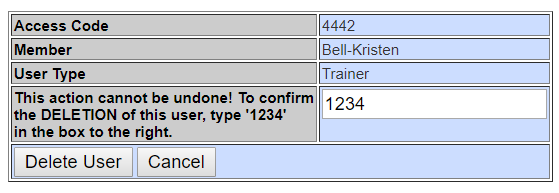
Enter '1234' and Delete Trainer.
**If the Trainer has any unresolved appointments on the Scheduler, you will receive an error message telling you to resolve the appointments first. You will receive this same error message when making a Trainer Inactive as well.
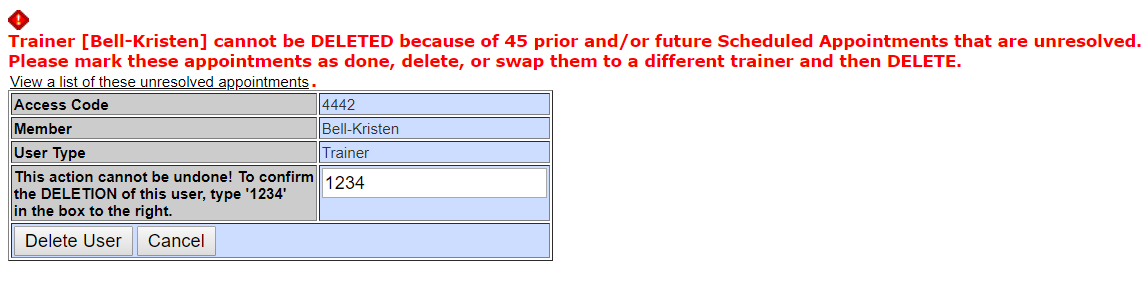
Click the link 'View a list of these unresolved appointments;
You will be able to delete any unresolved appointment or move any future appointments to another Trainer in bulk.

Comments
0 comments
Please sign in to leave a comment.