The latest Shape Software Release on August 10, 2017 allows you to add a new Quick Function to quickly add a Guest.
To enable the button, go to Tools -> Edit Quick Functions. Enable the box next to "Guest Quick Add".
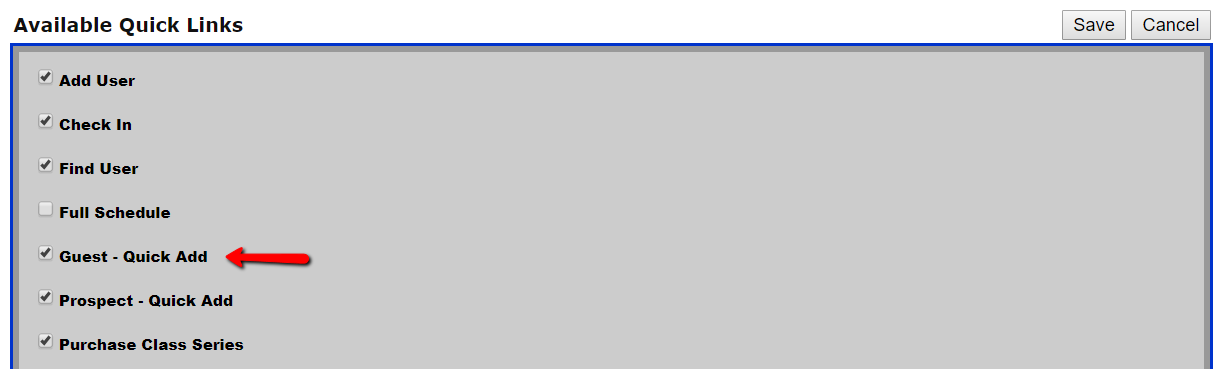
This new functions works the same as the Prospect - Quick Add.
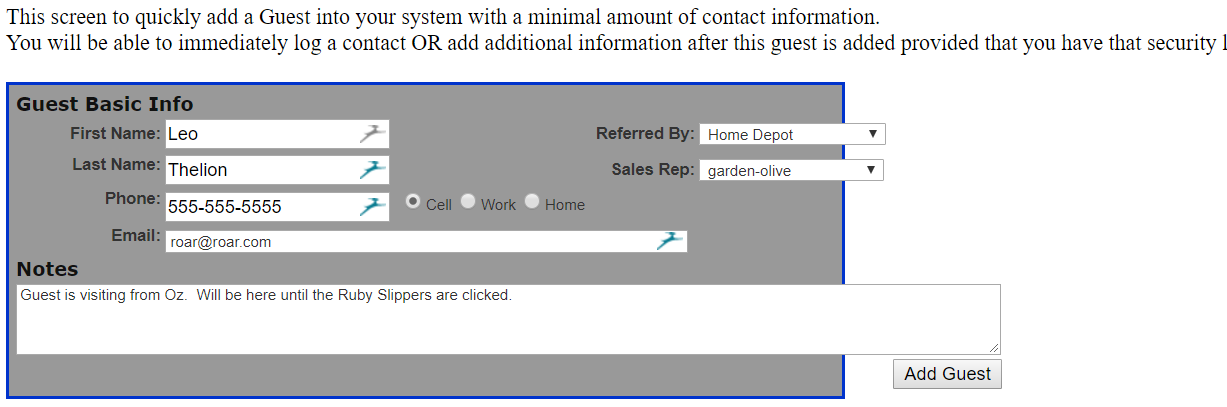
1. Click on the 'Quick Add Guest' button
2. This screen to quickly add a Guest into your system with a minimal amount of contact information.
You will be able to immediately log a contact OR add additional information after this guest is added provided that you have that security level.
Comments
0 comments
Please sign in to leave a comment.