1. Go to: Quick Functions-> Memberships
2. Search by lastname on membership you wish to freeze
3. To left of membership, under Action column, click membership actions, click "Freeze"
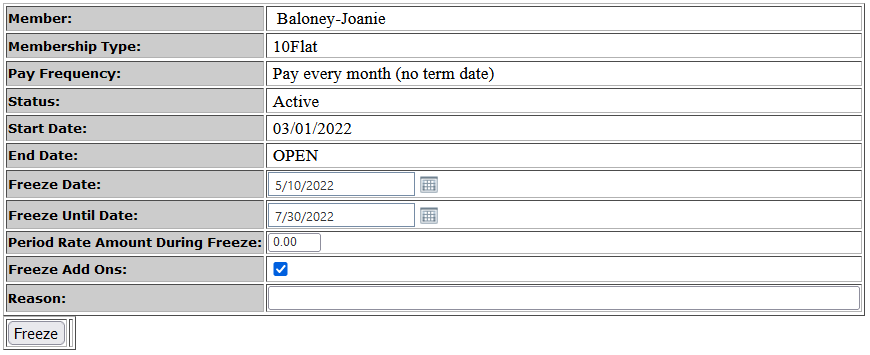
4. Enter the start of the freeze in the Freeze Date field, and the end date in the Freeze Until Date field.
- If not a PIF membership enter the new Period Rate the member will pay during the freeze period. If there is no payment during freeze period, enter $0.
- if there is a(n) add-on(s) you'll have the option not to freeze the addon
- Enter a reason for the freeze
- click Freeze
Comments
0 comments
Please sign in to leave a comment.