Background Checkin
Background Checkin – Tray Version
- The technical staff can configure your scanner and your shape system to continually capture check-ins while the system and computer are being utilized for other things.
- The Standard background check in screen is no longer used with the same scanner once the scanner is configured for Background check-in.
- This program only works with a Windows PC.
- Both ShapeNet available Metrologic scanners will run with background check-in.
- Once the technical staff has configured your scanner for background check-in, the typical check-in nor POS can be executed with the reprogrammed scanner.
The Pin Pad can run with background check in.
Fingerprint scanner CAN NOT run background checkin.
Screen that pops with background checkin - Standard
Are accompanied with an audio alert.
Green – “Welcome”

Yellow – “Alert – please see front desk”
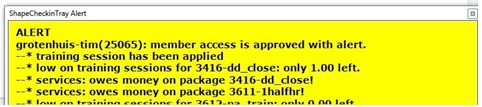
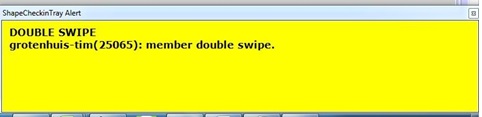
Red – “Access Denied”
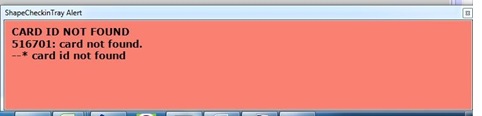
Screen that pops with background checkin - Enhanced
Multi-Facility Checkin
Detailed information on setting up and synching multiple systems for unified check-in
Definitions:
- Base system – the facility chosen to house the list of clients and their swipe cards in all of the connected systems
- Home system – the primary system of a member.
- Satellite System – any facility for a member that is not their Home system
Comments
0 comments
Please sign in to leave a comment.