If a Membership is Inactive and the Member is rejoining, you can re-open the membership under the same terms their original membership closed on OR change the member to a new membership type.
1. Re-opening a Membership under the same terms
- Quick Functions -> Memberships. Enter the last name and first initial of the Member you are re-opening and Search
- Hover over 'Membership Actions' and click the Reopen box
- The membership type that the Member was on will default to the 'Membership Type' field
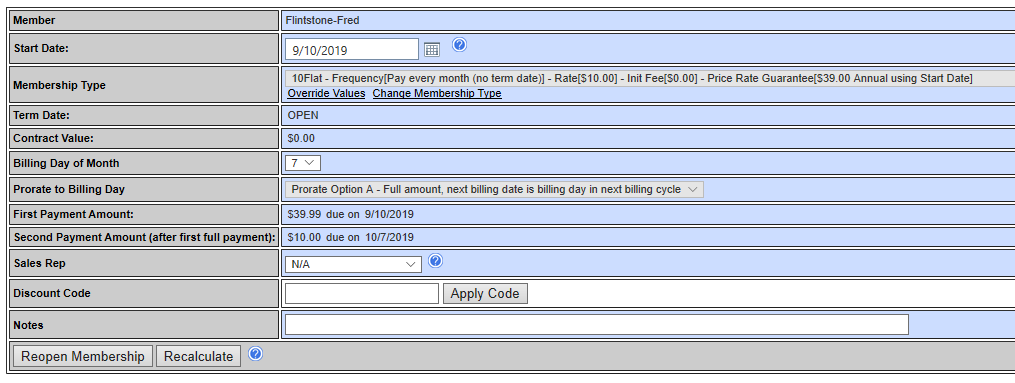
Simply verify the Start Date, Bill Date, select a Sales Rep (if required) and apply any discount code.
- Click 'Reopen Membership'

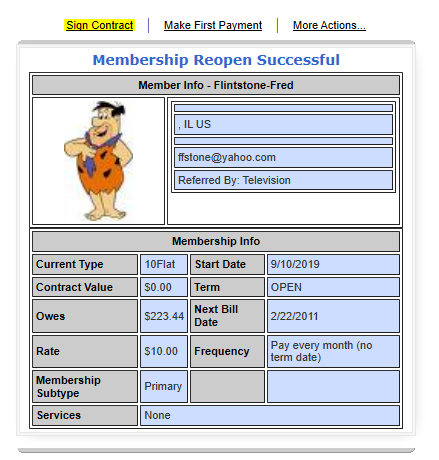
- Have the Member sign a new contract
- Make First Payment
2. Re-opening Memberships under different terms
To re-open a membership under different terms, it is necessary for the Administrator to have the following Capability Subtypes enabled in their Security Template:
Capability Subtype + MEMBERSHIP
REOPEN_WITH_NEW_MEMBERSHIP_TYPE
Adjusting Administrator Security Settings
- Quick Functions -> Memberships. Enter the last name and first initial of the Member you are re-opening and Search
- Hover over 'Membership Actions' and click the Reopen box
- The membership type that the Member was on will default to the 'Membership Type' field
- To change the membership, click the link 'Change Membership Type' located directly below the current membership type

- This will bring up all of your Active Memberships to choose from. Select the new membership by clicking on the box
- The old membership will be replaced by the new membership in the Membership Type field

- If you are also changing the values of the membership (i.e, Rate, Init Fee, Enhancement Fee etc), click the 'Override Values' link (Capability Sub-Type REOPEN_OVERRIDE_VALUES needs to be enabled under the Admin's Security Template).
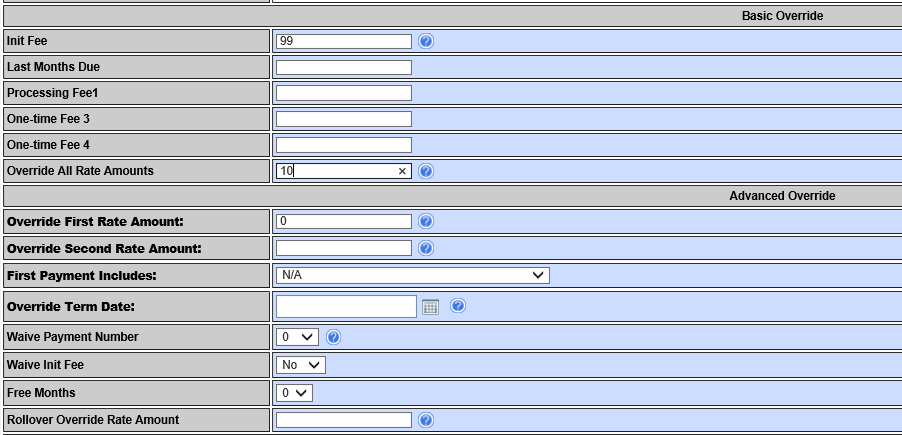
- Enter the updated rates into the appropriate fields. If the amount is $0, enter 0. The example above is overriding an Init Fee of $0 to $99. The monthly rate of the membership is being overridden from $15 monthly to $10 monthly and the First Rate Amount is overridden to $0. This DOES NOT include the Init Fee.
- It is always a good idea to first click the 'Recalulate' button at the bottom of the page to verify the amounts updated the way you want them to. The new terms will update at the top of the purchase page.
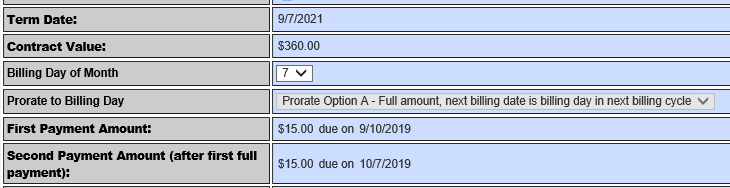
Current Terms
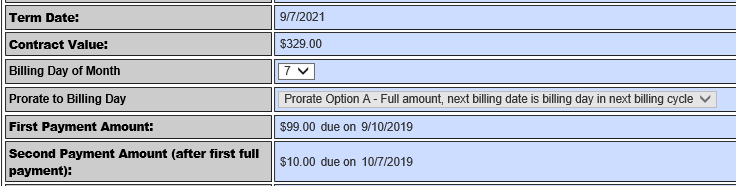
New Terms after the Recalculate
If you are satisfied with your changes, scroll down and click 'Reopen Membership'

- Have the Member sign a new contract
- Make First Payment
Comments
0 comments
Please sign in to leave a comment.