How to assign a Locker to a Member
- If the Member is existing, go to View Members and enter the last name of the Member you are assigning;
- Click the 'Details' link in the Action column;
- Click the 'Edit' icon;
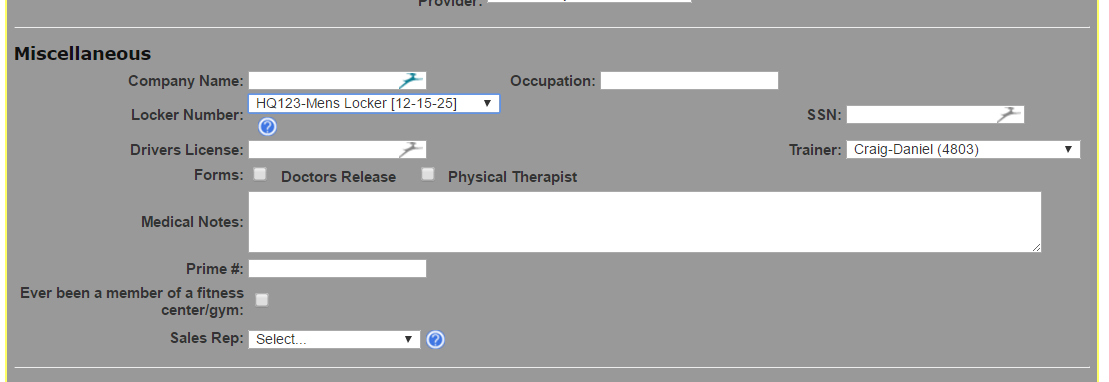
- Scroll down to the Miscellaneous section of the Member Details page;
- Use the drop down next to 'Locker' and select the locker.
- Click 'Save'.
Comments
0 comments
Please sign in to leave a comment.