Organize your Service Packages by Product Category
Step I: Tools -> System Settings -> Field Definitions -> Service Categories
- Expand the Field Definitions by clicking the link (click to edit)
- Expand Service Categories
- Enter the new product category into the blank field and click 'Add New'
Examples: Tanning, Massage, Small Group Training, Bootcamp, Personal Training etc.
Step II: Functions -> Services -> Add Type
Assign the Product Category when adding a new service type into your system. **Adding a Service Type
When adding a new type, the Product Category is found under 'Advanced Options'. Click on this to expand the window. Drop the selector down next to Product Category and select the appropriate category.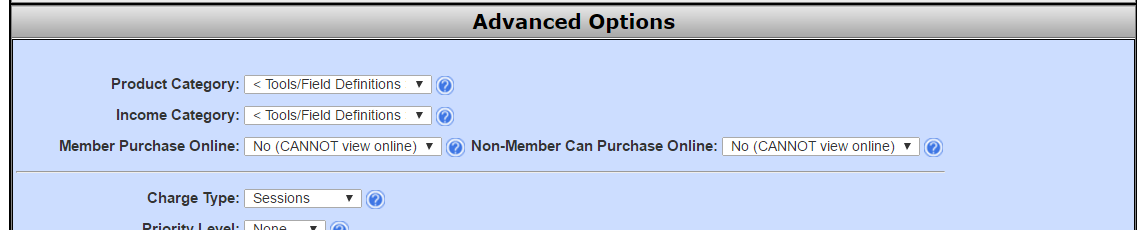
Comments
0 comments
Please sign in to leave a comment.