There are two options for managing daily receipts within your Shape.net system.
- Making the choice is a balance between the size of your organization, number of cash drawers, number of admins running drawers, and the number of transactions.
- The one person organization would use option 2, a full health club facility with 1+ tills and 1+ admins running cash drawers will use option 1.
Option 1 – Cash Drawer Tool
Choose Cash Drawers from Functions-> Point of Sale-> Cash Drawers
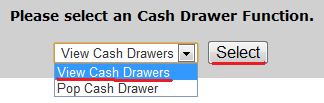
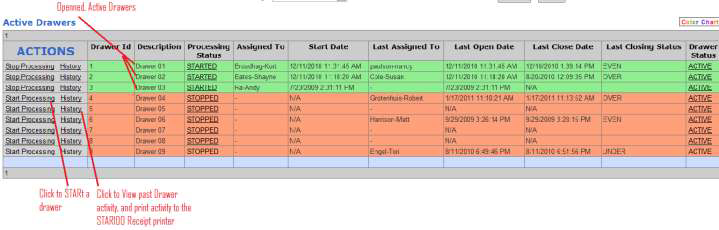
Click View Cash Drawers and Select
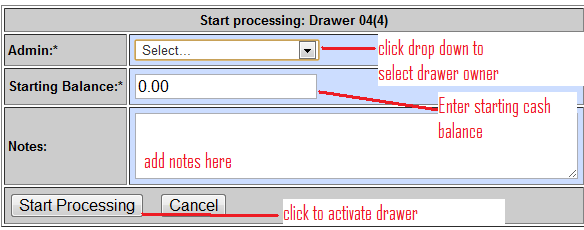
Click START Processing to active a Drawer

Use Admin drop down to choose Drawer Owner
Enter Starting Balance
Enter any notes
New Status of Drawer

Click home and use Shape.net as normal. Make financial transactions, paying special attention to STEP 2 on the Checkout Screen.
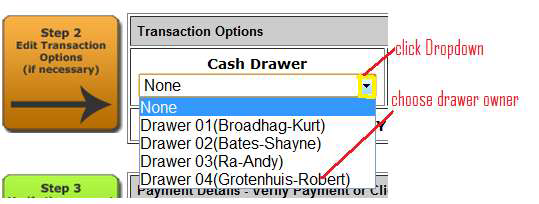
Repeat the STEP 2 instruction with each Checkout from that Drawer.
At end of shift Close the Drawer
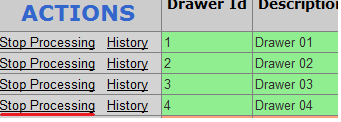
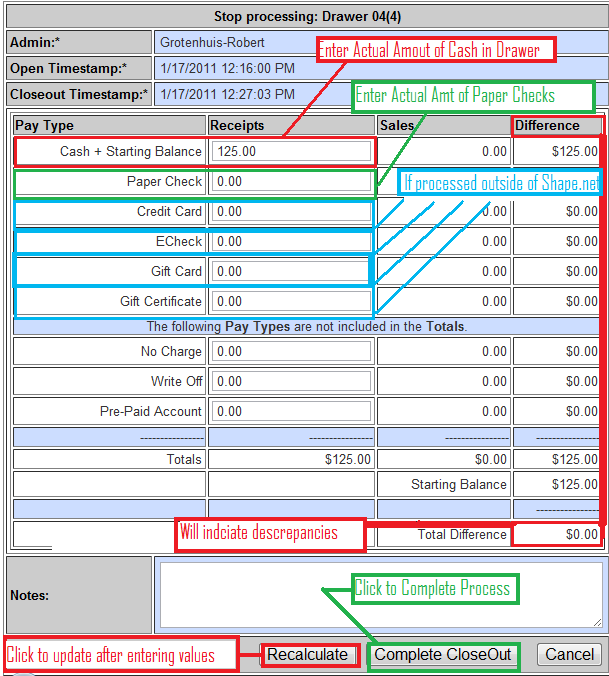
Click STOP Processing
Count cash on hand, enter value in the Cash + Starting Balance Receipts field.
Do the same for checks.
If Credit cards, or any other remaining transactions take place outside of your Shape.net Software, count and enter their values in the Receipts column.
After entering Values click Recalculate.
Click Complete Close Out to complete closing the drawer. If you have a STAR100/600 receipt printer a summary will be printed.
Click History to see a Drawer’s history
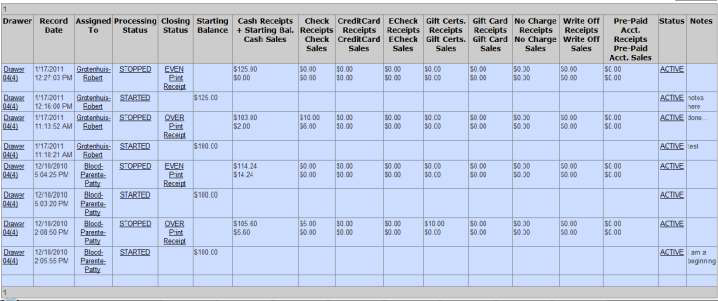
Drawer History, Option to print Receipts if you have a STAR 100/600 Receipt printer.
Option 2 – Financial Transactions Report
Reports -> Financial -> Financial Transactions
Using Daily Transaction Reports
Pull totals for today from default query.

Or use the dropdown to choose yesterday’s Receipts or Custom query for any date.
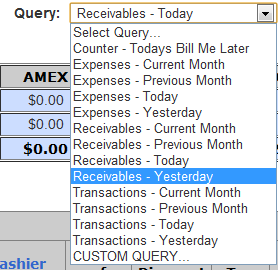
Use the fields to limit your results as needed…

Comments
0 comments
Please sign in to leave a comment.