You can assign lockers to your Members from the Member Details page. In order to do this, you must first enter your lockers into Shape so that they can be assigned.
Adding a new locker to inventory
- Functions -> Locker Management -> View Lockers;
- Click the Add icon in the upper left corner;

- Enter the Locker Name, select the type and enter the combo number if desired;
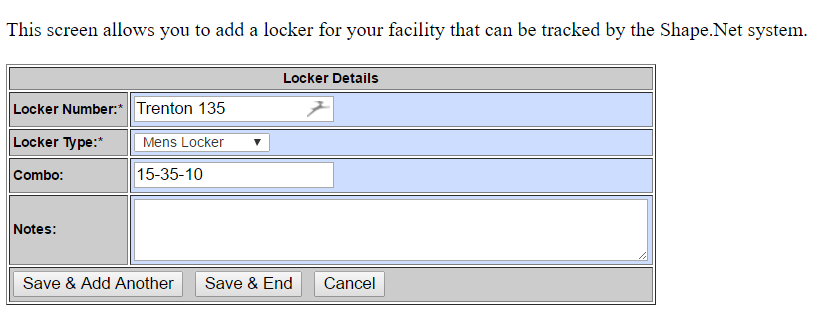
4. Click Save & Add Another or Save & End if done.
Comments
0 comments
Please sign in to leave a comment.